A modern web-based photo frame controller for Waveshare 5.65" 7-color e-paper displays. Upload and display images wirelessly with an intuitive web interface featuring interactive cropping, multiple dithering algorithms, and image rotation.
📸 Screenshots
| Boot Screen | Web Interface |
|---|---|
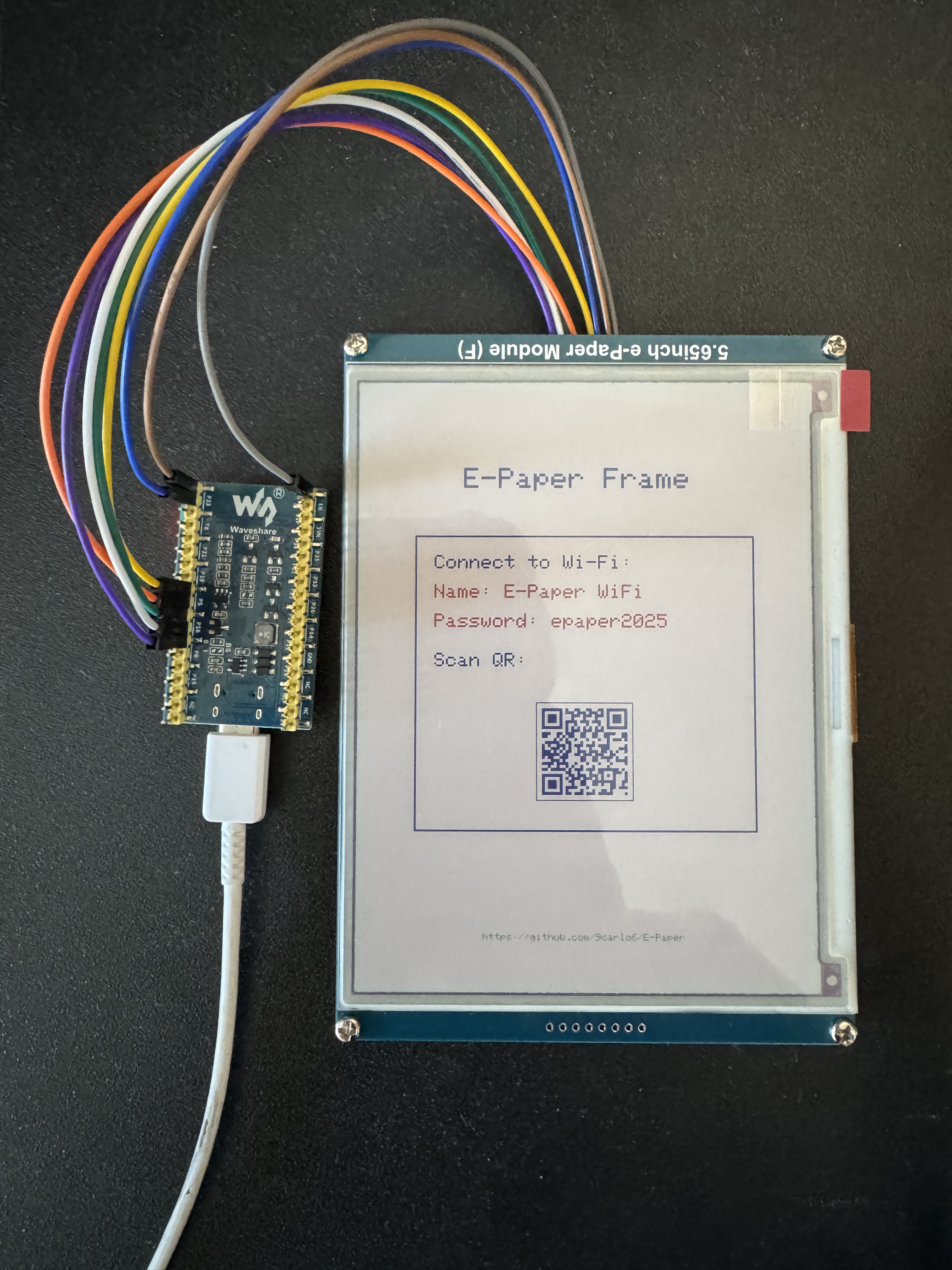 |
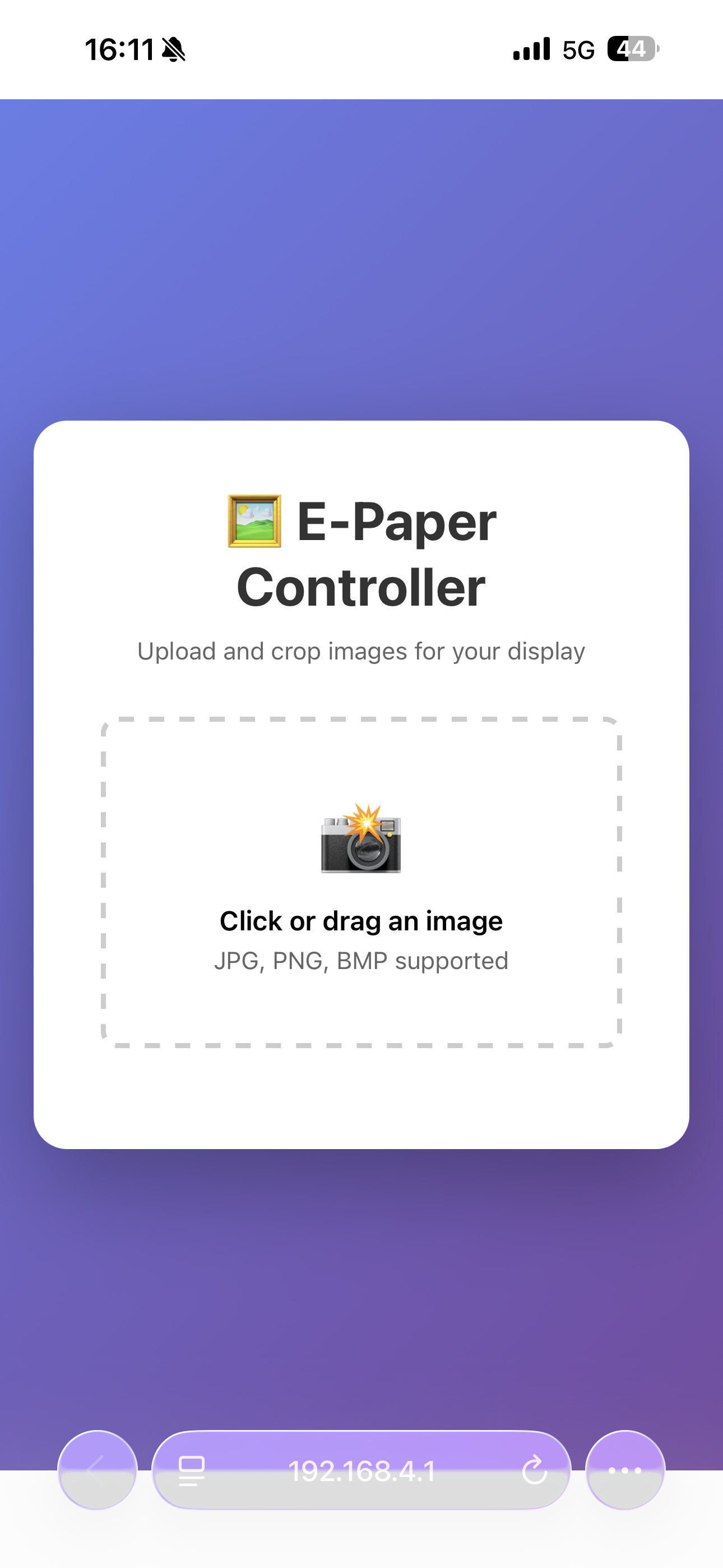 |
| QR code for easy connection | Upload interface |
| Crop Editor | Algorithm Selection |
|---|---|
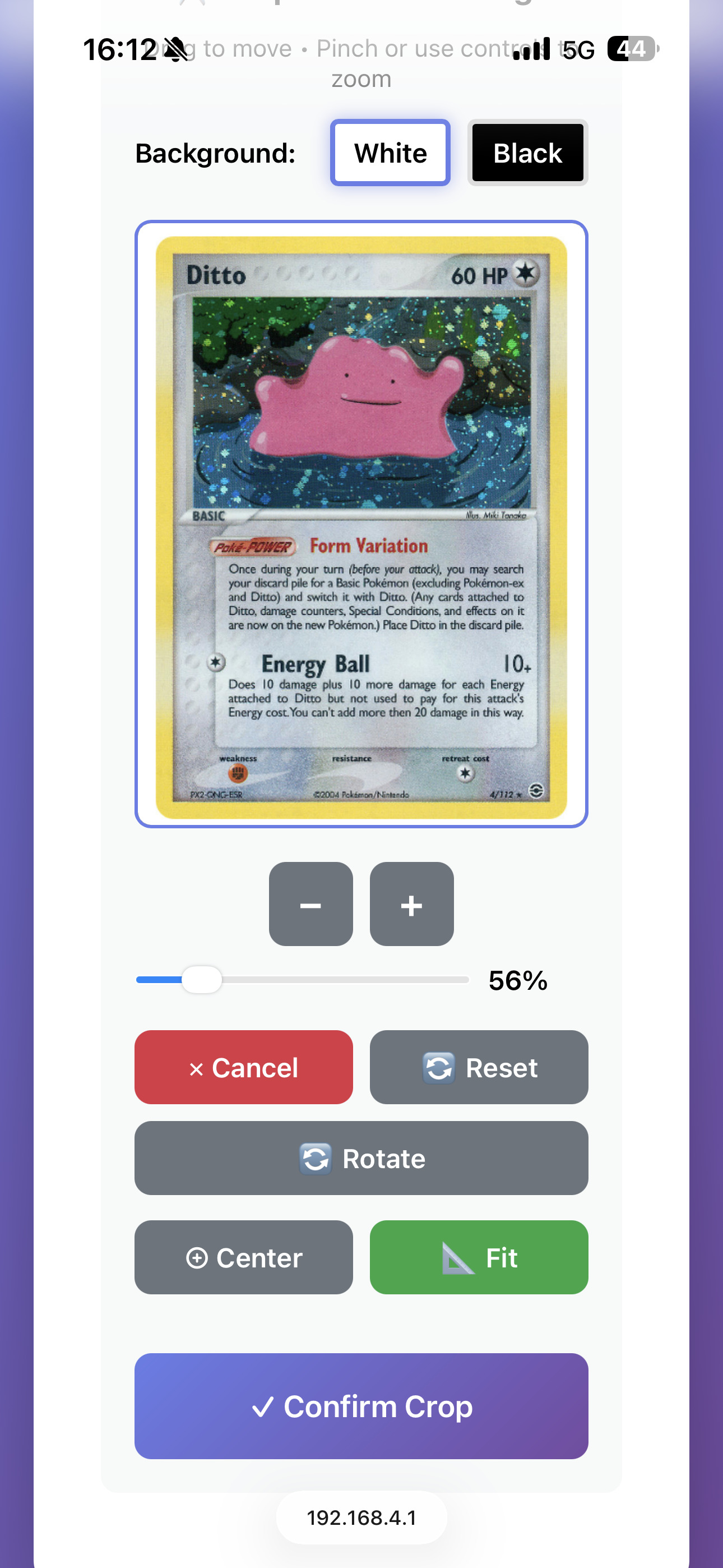 |
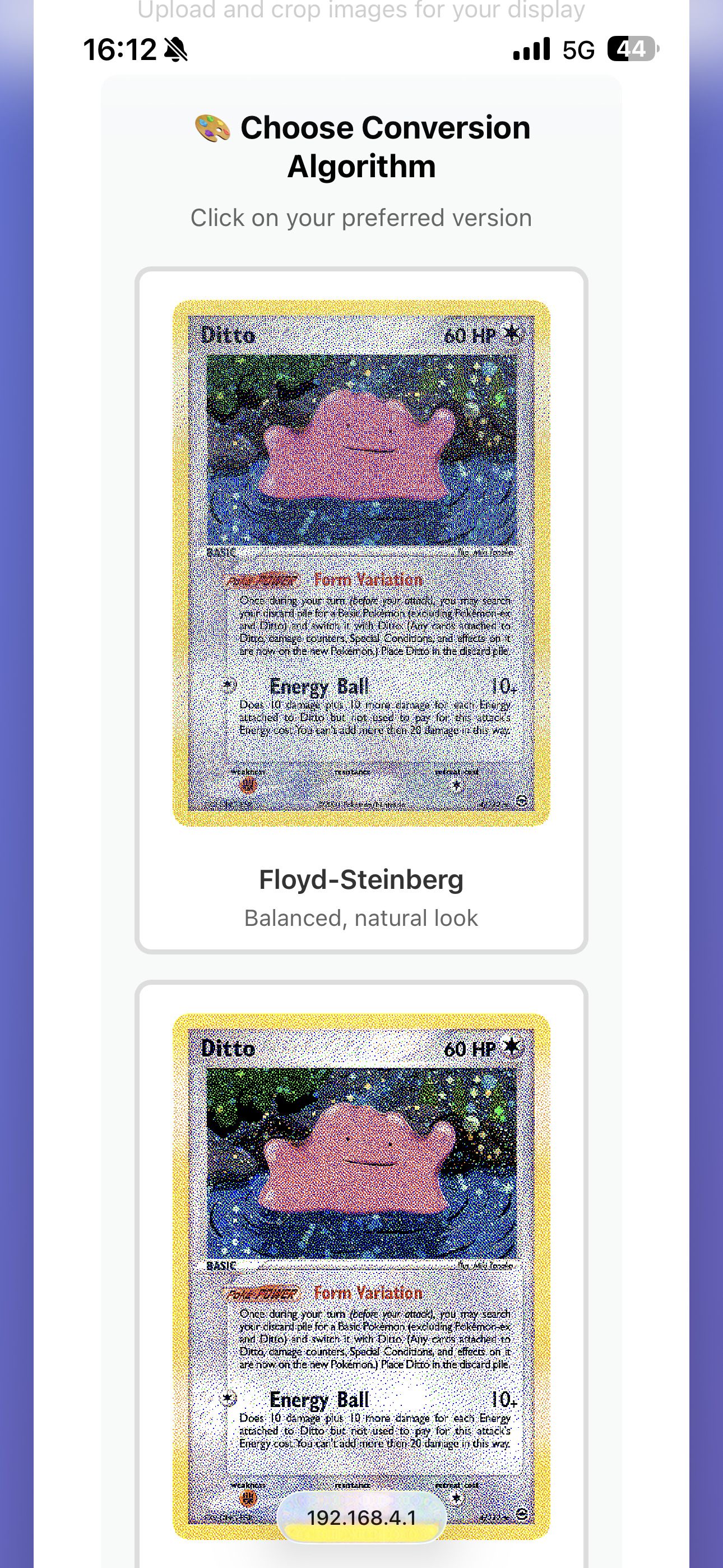 |
| Drag, zoom, rotate | 5 conversion methods |
| Final Result |
|---|
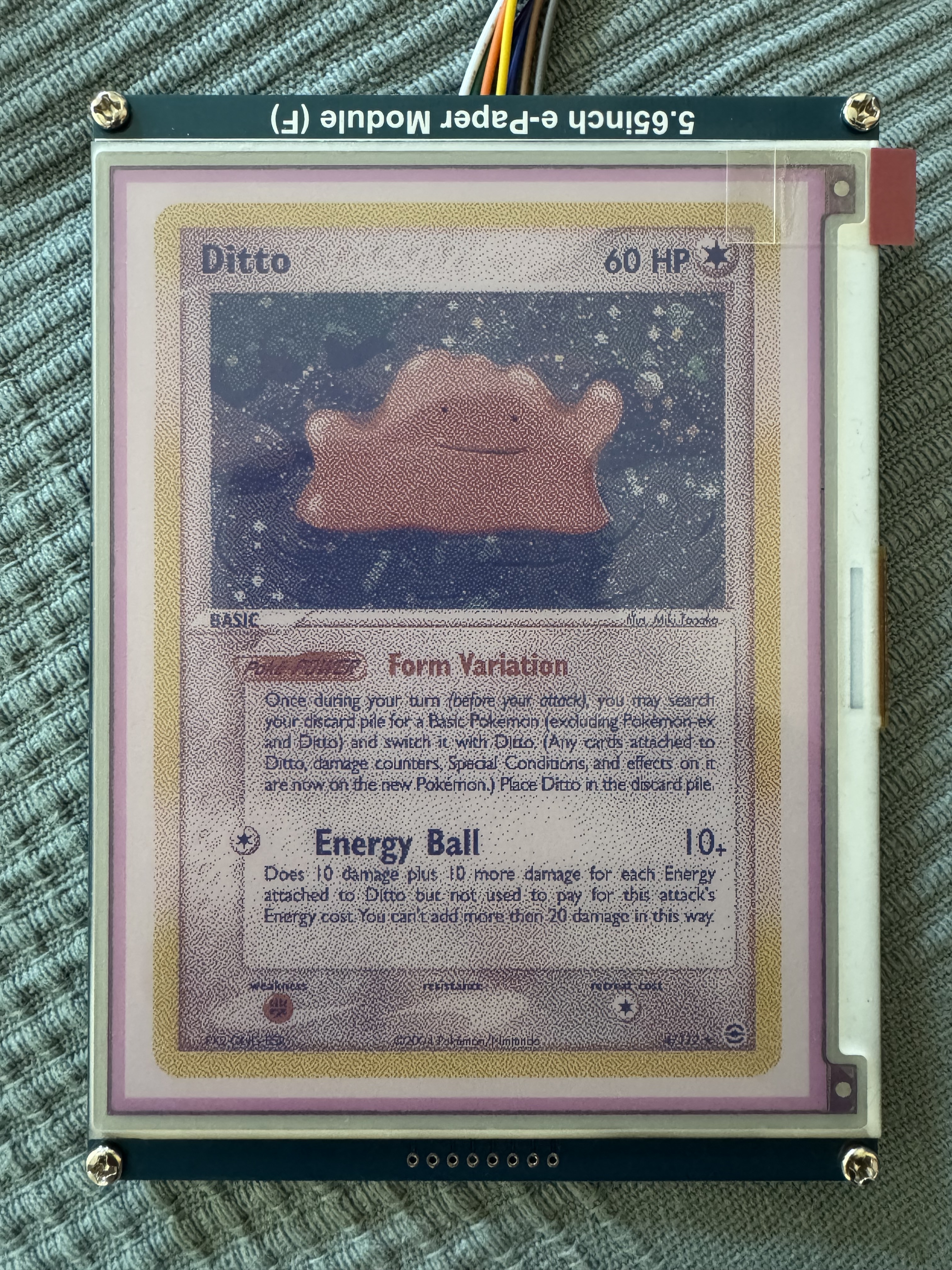 |
| Photo rendered on e-paper |
✨ Features
Web Interface
- Interactive Crop Editor - Drag to reposition, pinch/scroll to zoom
- 90° Rotation - Rotate images to fit any orientation
- Background Selection - Choose white or black backgrounds
- 5 Dithering Algorithms - Preview and compare conversion methods:
- Floyd-Steinberg (balanced, natural look)
- Atkinson (softer, less noise)
- Ordered/Bayer (retro, patterned)
- No Dithering (pure colors, cartoon style)
- Black & White (classic 2-color)
- Live Preview - See exactly how your image will look before uploading
- Touch-Friendly - Works seamlessly on mobile devices
Connectivity
- Access Point Fallback - Automatic AP mode if no network configured
- QR Code Display - Scan to connect instantly
- Web Configuration - Save WiFi credentials through browser
Storage & Performance
- SPIFFS Storage - No PSRAM required
- Optimized Memory Usage - ~64KB buffer for 600x448 display
- Fast Uploads - Progress tracking and efficient transfer
🛠️ Hardware Requirements
Required Components
- ESP32 Development Board (any variant with SPI support)
- Waveshare 5.65" 7-Color E-Paper Display (600x448 pixels)
- Model: GDEP0565D90
- Colors: Black, White, Red, Green, Blue, Yellow, Orange
Pin Connections
| ESP32 Pin | Display Pin | Function |
|---|---|---|
| GPIO 4 | BUSY | Busy Signal |
| GPIO 5 | CS | Chip Select |
| GPIO 16 | RST | Reset |
| GPIO 17 | DC | Data/Command |
| GPIO 18 | CLK | SPI Clock (SCK) |
| GPIO 23 | DIN | SPI MOSI (Data in) |
| 3.3V | VCC | Power |
| GND | GND | Ground |
Note: Modify pin assignments in
display_config.hif using different wiring.
📦 Installation
Prerequisites
Install the following libraries through Arduino IDE Library Manager:
- GxEPD2 (by Jean-Marc Zingg)
- QRCode (by Richard Moore)
Upload Steps
-
Clone Repository
bash git clone https://github.com/9carlo6/E-Paper.git cd E-Paper -
Open in Arduino IDE
- Open
E-Paper_Photo_Frame.ino
- Open
-
Configure Board
- Board: ESP32 Dev Module
- Upload Speed: 921600
- Flash Size: 4MB (with SPIFFS)
- Partition Scheme: Default 4MB with spiffs
-
Verify Pin Configuration
- Check
display_config.hmatches your wiring
- Check
-
Upload
- Click Upload and wait for completion
🚀 Usage
First Time Setup
- Power On - ESP32 boots and displays welcome screen with QR code
- Connect to WiFi - Connect to
E-Paper WiFi(password:epaper2025) - Open Web Interface - Scan QR code on display
Uploading Images
- Open Web Interface - Go to
http://[IP-ADDRESS] - Upload Image - Click or drag image (JPG, PNG, BMP supported)
- Crop & Position
- Drag to move image
- Use zoom controls or pinch to scale
- Click "Rotate" to rotate 90°
- Select white or black background
- Use "Fit" to auto-scale, "Center" to center image
- Choose Algorithm - Preview all conversion methods and select preferred one
- Upload to Display - Click "Upload to Display" and wait for refresh
📁 Project Structure
E-Paper/
├── E-Paper_Photo_Frame.ino    # Main program file
├── display_config.h            # Display hardware configuration
├── web_interface.h             # Complete web interface (HTML/CSS/JS)
└── README.md                   # This file
⚙️ Configuration
WiFi Settings
Default AP credentials (modify in E-Paper_Photo_Frame.ino):
#define AP_SSID "E-Paper WiFi"
#define AP_PASS "epaper2025"
Display Settings
Pin configuration (modify in display_config.h):
#define EPD_CS   5
#define EPD_DC   17
#define EPD_RST  16
#define EPD_BUSY 4
Image Settings
Resolution (modify in E-Paper_Photo_Frame.ino):
#define IMAGE_WIDTH 448
#define IMAGE_HEIGHT 600
🔧 Troubleshooting
Display Not Updating
- Check pin connections
- Verify SPIFFS is initialized (check Serial Monitor)
- Ensure image file size is correct (134,400 bytes)
WiFi Connection Failed
- Check SSID and password
- Verify signal strength
Web Interface Not Loading
- Confirm correct IP address
- Check ESP32 is powered and connected
- Try accessing
/configendpoint
Upload Errors
- Ensure image file is valid format
- Check SPIFFS has available space
- Verify network connection is stable
🎨 About Dithering Algorithms
The web interface offers 5 different algorithms to convert your photos for the 7-color display:
- Floyd-Steinberg: Best for photographs, provides natural gradients
- Atkinson: Softer alternative, less grainy than Floyd-Steinberg
- Ordered (Bayer): Creates retro halftone patterns, good for graphics
- No Dithering: Pure color quantization, cartoon-like effect
- Black & White: Classic 2-color dithering for monochrome look
Each algorithm provides a live preview so you can choose the best result for your image.
📝 Serial Monitor Output
The system provides detailed logging:
- SPIFFS initialization status
- WiFi connection progress
- IP address assignment
- Web server status
- Upload progress
- Display update timing
🤝 Contributing
Contributions are welcome! Feel free to:
- Report bugs
- Suggest features
- Submit pull requests
- Improve documentation
📄 License
This project is licensed under the MIT License - see the LICENSE file for details.
🙏 Acknowledgments
- GxEPD2 library by Jean-Marc Zingg
- QRCode library by Richard Moore
- Waveshare for e-paper display documentation
📧 Contact
For questions or support, please open an issue on GitHub.
Project Link: https://github.com/9carlo6/E-Paper